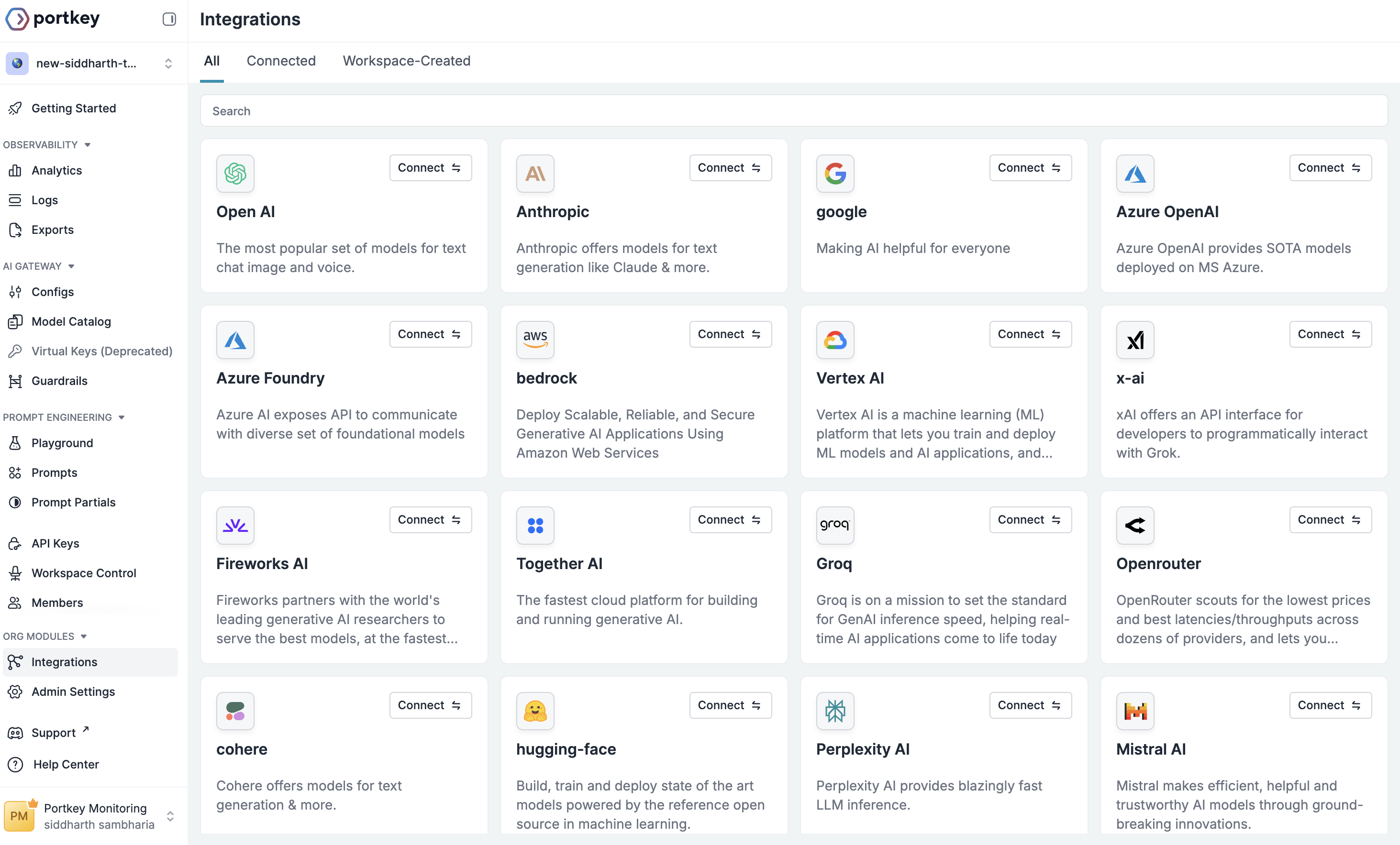
Azure OpenAI is a great alternative to accessing the best models including GPT-4 and more in your private environments. Portkey provides complete support for Azure OpenAI.
With Portkey, you can take advantage of features like fast AI gateway access, observability, prompt management, and more, all while ensuring the secure management of your LLM API keys through a integration system.
This integration is for all OpenAI models deployed on either Azure OpenAI or Azure AI Foundry.
Integrate Azure OpenAI models with Portkey to centrally manage your AI models and deployments. This guide walks you through setting up the integration using API key authentication.
We recommend importing your Azure details (resource name, deployment details, API version) directly from your Target URI. Simply copy the target URL and import it.
Azure Resource Name: Get Your resource Name from Azure
Find Your Azure Resource Name
Your Azure resource Name is different from your Project Name. Here’s how you can find it:
Azure AI Foundry
Azure OpenAI
Note the API Version and enter it in the given field
Alias Name: A Portkey-specific field for accessing the model - name it as you prefer
Foundation Model: Select a foundation model from the list that matches your deployment. This helps Portkey track costs and metrics. If your model isn’t listed, choose a similar model type to begin with.
Set up Portkey with your Azure Integration as part of the initialization configuration. You can create a provider for Azure in the Portkey UI.
NodeJS SDK
Python SDK
import Portkey from 'portkey-ai'const portkey = new Portkey({ apiKey: "PORTKEY_API_KEY", // defaults to process.env["PORTKEY_API_KEY"] provider:"@AZURE_PROVIDER" // Your Azure Provider Slug})
from portkey_ai import Portkeyportkey = Portkey( api_key="PORTKEY_API_KEY", # Replace with your Portkey API key provider="@AZURE_PROVIDER" # Replace with your Provider slug for Azure)
Use the Portkey instance to send requests to your Azure deployments. You can also override the provider slug directly in the API call if needed.
NodeJS SDK
Python SDK
const chatCompletion = await portkey.chat.completions.create({ messages: [{ role: 'user', content: 'Say this is a test' }], model: 'gpt4', // This would be your deployment or model name});console.log(chatCompletion.choices);
completion = portkey.chat.completions.create( messages= [{ "role": 'user', "content": 'Say this is a test' }], model= 'custom_model_name')print(completion.choices)
You can manage all prompts to Azure OpenAI in the Prompt Library. All the current models of OpenAI are supported and you can easily start testing different prompts.Once you’re ready with your prompt, you can use the portkey.prompts.completions.create interface to use the prompt in your application.
Portkey supports multiple modalities for Azure OpenAI and you can make image generation requests through Portkey’s AI Gateway the same way as making completion calls.
Portkey NodeJS
Portkey Python
import Portkey from 'portkey-ai'const portkey = new Portkey({ apiKey: "PORTKEY_API_KEY", provider:"@DALL-E_PROVIDER" // Referencing a Dall-E Azure deployment with Provider Slug})const image = await portkey.images.generate({ prompt:"Lucy in the sky with diamonds", size:"1024x1024"})
from portkey_ai import Portkeyportkey = Portkey( api_key="PORTKEY_API_KEY", provider="@DALL-E_PROVIDER" # Referencing a Dall-E Azure deployment with Provider Slug)image = portkey.images.generate( prompt="Lucy in the sky with diamonds", size="1024x1024")
Portkey’s fast AI gateway captures the information about the request on your Portkey Dashboard. On your logs screen, you’d be able to see this request with the request and response.
Log view for an image generation request on Azure OpenAIMore information on image generation is available in the API Reference.
If you have configured fine-grained access for Azure OpenAI and need to use JSON web token (JWT) in the Authorization header instead of the regular API Key, you can use the forwardHeaders parameter to do this.
Node
Python
import Portkey from 'portkey-ai'const portkey = new Portkey({ apiKey: "PORTKEY_API_KEY", provider: "azure-openai", azureResourceName: "AZURE_RESOURCE_NAME", azureDeploymendId: "AZURE_DEPLOYMENT_NAME", azureApiVersion: "AZURE_API_VERSION", azureModelName: "AZURE_MODEL_NAME", Authorization: "Bearer JWT_KEY", // Pass your JWT here forwardHeaders: [ "Authorization" ]})
import Portkey from 'portkey-ai'const portkey = new Portkey({ api_key = "PORTKEY_API_KEY", provider = "azure-openai", azure_resource_name = "AZURE_RESOURCE_NAME", azure_deploymend_id = "AZURE_DEPLOYMENT_NAME", azure_api_version = "AZURE_API_VERSION", azure_model_name = "AZURE_MODEL_NAME", Authorization = "Bearer API_KEY", # Pass your JWT here forward_headers= [ "Authorization" ])
For further questions on custom Azure deployments or fine-grained access tokens, reach out to us on support@portkey.ai